Feeling like your workday is a constant race against the clock? You're not alone. So many of us juggle endless tasks, meetings, and unexpected requests, leaving us feeling drained and unproductive. But what if there was a way to actually take control of your schedule, get more done, and feel less stressed? This guide is all about how to timebox your day, a simple yet powerful method to bring order to the chaos and help you focus on what truly matters.
Key Takeaways
Timeboxing means assigning specific time slots to tasks, helping you fit your to-do list onto your calendar realistically.
Benefits include better focus, less multitasking, and a clearer path to your goals, as it reduces decision fatigue.
Start by planning your time, listing priorities, estimating task lengths (with buffer time!), and then blocking out your calendar.
Advanced methods like day theming and aligning tasks with your energy levels can further boost productivity.
Avoid common pitfalls like underestimating task times, being too rigid, or forgetting to plan for interruptions and breaks.
Understanding the Core Principles of Timeboxing
What Exactly Is Timeboxing?
So, what is timeboxing, really? At its heart, it's a simple idea: you decide how much time you're going to spend on a specific task, and then you stick to that limit. Think of it like setting a timer for everything you do. Instead of just having a long to-do list that you chip away at whenever you feel like it, you're assigning actual time slots to each item. For example, you might say, "I'm going to spend exactly 45 minutes writing this report." When that 45 minutes is up, you stop, regardless of whether the report is perfectly finished. This approach is different from just blocking out time on your calendar; timeboxing puts a hard stop on how long you'll work on something.
The Science-Backed Benefits of Timeboxing
Why bother with this structured approach? Well, it turns out there's some solid reasoning behind it. For starters, timeboxing helps you focus on one thing at a time, which is a big deal in our world of constant distractions. It combats that urge to multitask, which often just means doing several things poorly. By giving yourself a set amount of time, you're also nudged to be more efficient. You can't afford to dawdle when the clock is ticking. It also helps you get a better handle on your priorities. When you have to assign a time limit, you're forced to think about what's truly important and how long it might realistically take. Plus, it can be a great way to overcome procrastination. Knowing you only have a limited window can be just the push you need to get started.
Who Benefits Most From Timeboxing?
While anyone can find value in timeboxing, it's particularly helpful for certain folks. If you have a job where you can set your own schedule, even partially, this method can be a game-changer. It's also fantastic for anyone who needs dedicated time for creative work or deep thinking. People who are aware of their own energy levels and know when they're most productive tend to do really well with it. If your days are unpredictable, though, don't worry. You can start by timeboxing just a portion of your schedule, like your morning routine or a specific project, and build from there. It’s all about finding what works for your unique situation.
Getting Started: Your First Timeboxed Schedule
So, you're ready to actually try this timeboxing thing out? Awesome. It sounds a bit rigid at first, but honestly, it's more about giving your day some structure so you can get stuff done without feeling totally overwhelmed. The goal here isn't to become a robot, but to make sure the important things actually get your attention.
Choose Your Planning Time
First things first, you need to decide when you're going to do the planning. Some people like to do it at the end of their workday, looking ahead to tomorrow. Others, like me, prefer to tackle it first thing in the morning. I find that getting my plan sorted before diving into emails or urgent requests helps me start the day with a clear head. It only takes about 10-15 minutes, so it's not a huge time commitment. You could use a simple notebook, a whiteboard, or even a digital tool for this. The key is to pick a time that works for you and stick with it.
List Your Priorities and Necessities
Once you've picked your planning time, it's time to figure out what actually needs doing. Don't just dump your entire to-do list here. Think about the top 2-3 things that are most important for the day. These are your big rocks. Then, jot down the other stuff that has to get done – maybe a quick check-in, responding to a specific email, or a recurring task. This is also a good spot to quickly note down any random thoughts or things you need to remember for later, so they don't clutter your mind.
Estimate Task Durations and Add Buffers
This is where the 'time' part of timeboxing really comes in. For each task you've listed, try to guess how long it'll actually take. Be realistic here. If you've never done something before, it's probably going to take longer than you think. It's way better to overestimate slightly than to underestimate. Seriously. I like to add a little wiggle room, maybe 25% extra time, just in case things pop up or a task has a few more steps than I initially realized. This buffer is your best friend when it comes to avoiding that feeling of constantly being behind schedule. You can use a simple table to keep track:
Task | Estimated Time | Buffer (25%) | Total Time |
|---|---|---|---|
Draft project proposal | 1 hour | 15 minutes | 1 hour 15 min |
Respond to client emails | 30 minutes | 7 minutes | 37 minutes |
Team meeting preparation | 45 minutes | 11 minutes | 56 minutes |
Block Your Calendar Strategically
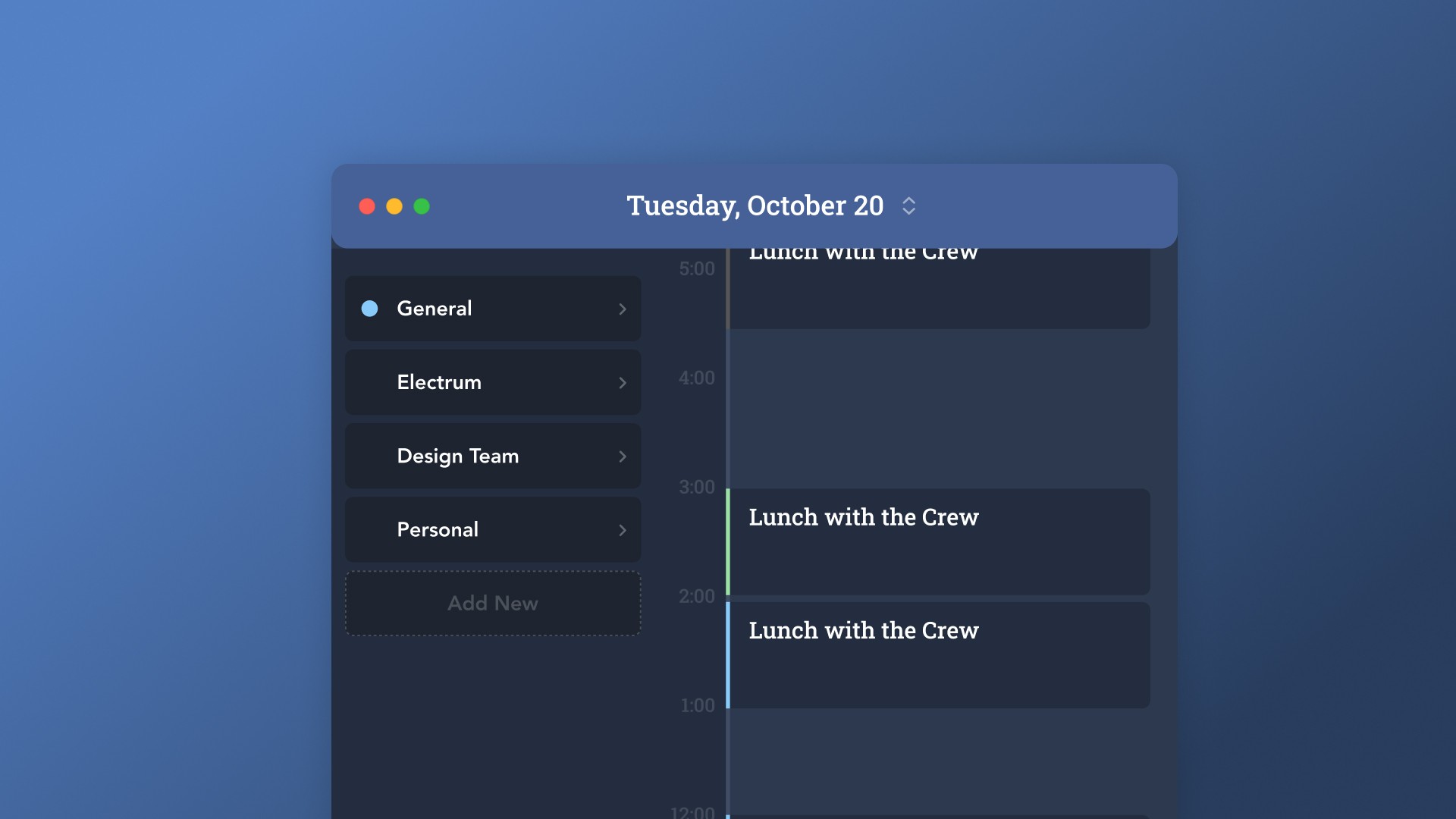
Now, take those tasks and their estimated times and start putting them into your calendar. Treat each block like a real appointment. If a task is estimated at 1 hour and 15 minutes, block out that full amount of time. Don't try to cram too much in. Leave some small gaps between blocks for transitions or quick breaks. This is how you start building a visual representation of your day, making it clear what you should be working on and when. It's a great way to get a handle on your workday planning.
Remember, the first few times you do this, it might feel a bit clunky. You might run over on some tasks or find that your estimates were way off. That's totally normal. The point is to practice and get better at it. Don't aim for perfection right away; aim for progress.
Advanced Timeboxing Techniques for Enhanced Productivity
So, you've got the basics of timeboxing down. You're blocking out your calendar, you're estimating task times, and things are starting to feel more organized. But what if you want to take your time management game to the next level? That's where these advanced techniques come in. They're designed to help you get even more out of your schedule and really dial in your focus.
Day Theming: Dedicate Days to Specific Focus Areas
This is a pretty neat idea. Instead of just blocking out time for individual tasks, you assign a general theme to each day of the week. Think of it like giving your entire day a job. For example, Mondays could be all about planning and strategy, Tuesdays for deep creative work, Wednesdays for meetings and collaboration, Thursdays for client outreach, and Fridays for wrapping things up and administrative tasks. It helps you get into a specific mindset for the type of work you'll be doing, reducing that mental whiplash from jumping between totally different kinds of tasks.
Here's a quick look at how you might set it up:
Day | Theme |
|---|---|
Monday | Planning & Strategy |
Tuesday | Deep Work & Creation |
Wednesday | Meetings & Collaboration |
Thursday | Outreach & Client Work |
Friday | Admin & Wrap-up |
Energy Management Time Blocking: Align Tasks with Your Energy Levels
We all have times of day when we're sharp and focused, and other times when we're just... not. Energy Management Time Blocking is all about working with your natural energy rhythms, not against them. You figure out when you're at your peak and schedule your most demanding tasks for those times. Less demanding, more routine tasks get slotted into your lower-energy periods.
High Energy Periods: Schedule tasks requiring deep focus, complex problem-solving, or creative thinking.
Medium Energy Periods: Good for focused work that isn't overly taxing, like responding to emails or reviewing documents.
Low Energy Periods: Perfect for administrative tasks, organizing, or light reading.
The key is to be honest with yourself about your energy levels. Don't try to force yourself into deep work when you're feeling sluggish; you'll just get frustrated and get less done.
The Pomodoro Technique: A Micro-Blocking Strategy
The Pomodoro Technique is a popular method that breaks work down into short, focused intervals, traditionally 25 minutes long, separated by short breaks. After about four
Mastering Your Timebox: Practical Tips and Tools

So, you've got your schedule all boxed out, which is awesome. But how do you actually make sure those boxes get filled without everything falling apart? It's all about having a few tricks up your sleeve and the right gear. Think of it like packing for a trip – you need the right suitcase and a good packing strategy.
Pad Your Schedule with Buffer Times
Look, life happens. That report you thought would take an hour might suddenly need input from three other people, or your computer decides to update right when you need it most. That's why adding buffer time is a lifesaver. These are little pockets of unscheduled time you tuck in between your time blocks. They're not for new tasks; they're just breathing room. If a task runs over, you dip into the buffer. If it finishes early, great, you get a mini-break. A good rule of thumb is to add about 25-50% extra time to your estimates, especially for tasks you haven't done before. It sounds like a lot, but trust me, it prevents your whole day from going off the rails.
Adopt a Flexible Approach to Your Schedule
This is a big one. Timeboxing isn't about being a robot. It's about creating structure, but that structure needs to bend a little. If you're trying to stick to a rigid schedule when unexpected things pop up, you'll just end up frustrated. The goal is to get the important stuff done, not to perfectly execute a plan that was made before you knew what the day would actually look like. If a meeting gets moved or a priority shifts, don't panic. Just adjust your time blocks as needed. It’s about adapting, not adhering blindly. You might find that some days require more flexibility than others, and that's perfectly fine.
Make the Most of Timers and Apps
Tools can really help keep you honest. You don't need anything fancy, though there are tons of apps out there. A simple kitchen timer or a sand timer can be surprisingly effective. The visual cue of time ticking away is a great motivator. If you prefer digital, there are plenty of apps that can help you track your time blocks and give you gentle nudges when a block is up. Some people like using a simple spreadsheet to map out their day, while others prefer dedicated time management tools. The key is to find something that works for you and helps you stay aware of the time without being a constant distraction.
Pair Timeboxing with Other Productivity Approaches
Timeboxing is powerful on its own, but it gets even better when you combine it with other methods. Think of it like adding different spices to a dish – each one brings something unique. For instance, using the Eisenhower Matrix helps you decide what to focus on, and timeboxing helps you decide when and for how long. Or, if you're trying to 'eat the frog' (tackle your hardest task first), timeboxing gives you the structure to actually schedule that difficult task and dedicate the necessary time to it. It’s about building a system that supports your workflow, not just a single technique.
The real magic happens when you stop seeing your schedule as a rigid prison and start viewing it as a flexible framework. It’s a guide, not a dictator. Allow for adjustments, learn from what works (and what doesn't), and you'll find your timeboxing becoming more effective over time.
Avoiding Common Timeboxing Pitfalls
Even with the best intentions, timeboxing can sometimes feel like trying to herd cats. You set up your perfect schedule, and then life happens. It's easy to get discouraged when your carefully planned blocks get derailed. But don't throw in the towel just yet! Most of the time, these issues stem from a few common mistakes. Let's look at how to sidestep them.
Underestimating Task Durations
This is a big one. We often think tasks will take less time than they actually do. You might block out an hour for a report, only to find yourself still plugging away two hours later. This throws off your entire day. The fix? Start tracking your time. For a week or two, just note down how long things really take. Then, when you plan, add a little extra time – a buffer – to each task. It’s better to finish early and have free time than to constantly feel behind.
Here’s a rough guide to adding buffers:
Task Type | Estimated Time | Recommended Buffer | Total Blocked Time |
|---|---|---|---|
Simple Email Reply | 10 minutes | 5 minutes | 15 minutes |
Writing a Section | 1 hour | 20-30 minutes | 1 hour 20-30 mins |
Project Planning | 2 hours | 30-60 minutes | 2 hours 30-60 mins |
Being Too Rigid with Your Schedule
Timeboxing is a tool, not a dictator. If an urgent issue pops up that absolutely needs your attention, don't be afraid to adjust. The goal is to guide your day, not to create a prison of your own making. If you have to shift a block, that's okay. Just try to reschedule it later in the day or week if possible. Think of your schedule as a flexible roadmap, not a concrete path.
Failing to Account for Interruptions
Life is full of unexpected pop-ups. Phone calls, emails, colleagues stopping by – these things happen. If you don't build in some wiggle room, these interruptions will constantly derail your planned work. Make sure to include short breaks between tasks. These aren't just for resting; they're also buffer zones for those little things that pop up. Also, consider "mosquito tasks" – those quick, annoying little jobs like replying to a non-urgent email or paying a small bill. Dedicate a small block of time, maybe 30 minutes at the end of the day, to clear these out so they don't interrupt your main work.
The key is to be realistic. Your schedule should reflect the reality of your workday, not an idealized version of it. If you're constantly fighting against your schedule, it's probably too ambitious or too inflexible.
Integrating Timeboxing into Your Daily Routine

So, you've got the hang of timeboxing, you've made a schedule, and things are starting to feel more organized. That's awesome! But how do you actually make this stick day in and day out? It's not just about blocking out time for big projects; it's about weaving it into the fabric of your everyday life. This means being smart about how you handle those little things that pop up and making sure your most important work gets the attention it deserves.
Box Out Breaks and 'Mosquito Tasks'
Think of your schedule like a busy highway. You've got the main lanes for your big projects, but you also need exits and rest stops. Breaks are those rest stops. They're not a luxury; they're a necessity. Stepping away, even for five or ten minutes, can reset your brain and prevent burnout. Seriously, don't skip them. And then there are the 'mosquito tasks' – those annoying little things that buzz around your head. You know, like answering a quick email, paying a bill online, or confirming an appointment. They're small, but if you let them pile up, they become a swarm. The trick is to give them their own small time slots. Maybe you dedicate 30 minutes every Friday afternoon to just swatting these little pests. It keeps them from distracting you during your focused work blocks.
Determine Your Prime Time for Deep Work
We all have those hours in the day when our brains are just firing on all cylinders. For some, it's early morning; for others, it might be after lunch. Figure out when you're naturally most alert and focused. That's your prime time. This is when you should schedule your most demanding tasks, the ones that require serious concentration. Trying to tackle a complex report when you're feeling sluggish is just setting yourself up for frustration. By aligning your toughest work with your peak energy levels, you'll get more done, and it'll feel a lot easier.
Prevent Work From Bleeding Into Personal Life
One of the biggest wins with timeboxing is creating clear boundaries. If your last work block is scheduled to end at 5 PM, then that's it. Work stops. It's so easy for work to creep into evenings and weekends, especially now with everything being so connected. But timeboxing helps you draw a line. When you've allocated specific times for specific tasks, and you stick to them, you're also implicitly allocating time for everything else – like dinner, family, hobbies, or just plain relaxing. It gives you permission to switch off.
Setting a clear end time for your workday is just as important as setting start times for your tasks. It protects your personal time and helps prevent decision fatigue by removing the constant question of 'when will I get to this?'
Wrapping Up Your Timeboxed Day
So, there you have it. Timeboxing might seem a little intense at first, like trying to fit every single thing into neat little boxes. But honestly, once you get the hang of it, it’s pretty freeing. You stop feeling like you’re just reacting to whatever pops up and start actually getting things done. It takes a bit of practice, sure, and you’ll probably mess up your schedule a few times – I know I did. But stick with it. You’ll find your rhythm, and before you know it, you’ll be looking forward to your planned work blocks instead of dreading the never-ending to-do list. Give it a real shot, and see how much more control you have over your day.
Frequently Asked Questions
What is timeboxing, anyway?
Think of timeboxing like putting your tasks into little boxes of time on your calendar. Instead of just having a long to-do list, you decide exactly how long you'll spend on each thing, like 'I'll work on this report for 45 minutes' or 'I'll answer emails for 30 minutes.' It helps you focus and get things done in the time you set aside.
Why should I try timeboxing?
Timeboxing is great because it helps you focus on one thing at a time and stops you from getting sidetracked. It makes your to-do list feel more manageable and can actually help you get more done because you're being more intentional with your time. Plus, it can reduce stress by making your schedule more predictable.
Is timeboxing good for everyone?
It's really helpful for people who have some control over their schedule and need time for focused work, like creative projects or studying. If your day is always full of unexpected things, you might start by timeboxing just a part of your day to see how it goes.
How do I start timeboxing my day?
First, pick a time to plan your day, maybe the morning or evening before. Then, list your most important tasks. Next, guess how long each task will take and add a little extra time just in case. Finally, block out those times on your calendar. It's like drawing boxes for each task!
What if I can't stick to my timeboxes?
Don't worry if things don't go exactly as planned! The key is to be a little flexible. If a task takes longer, see if you can adjust other blocks or use a little buffer time you might have added. It's better to have a plan and adjust it than to have no plan at all.
Can I use timeboxing with other methods?
Absolutely! Many people find it helpful to combine timeboxing with other strategies. For example, you could use the Pomodoro Technique (working in short bursts with breaks) within a larger timebox, or use something like the Eisenhower Matrix to decide which tasks are most important to timebox first.