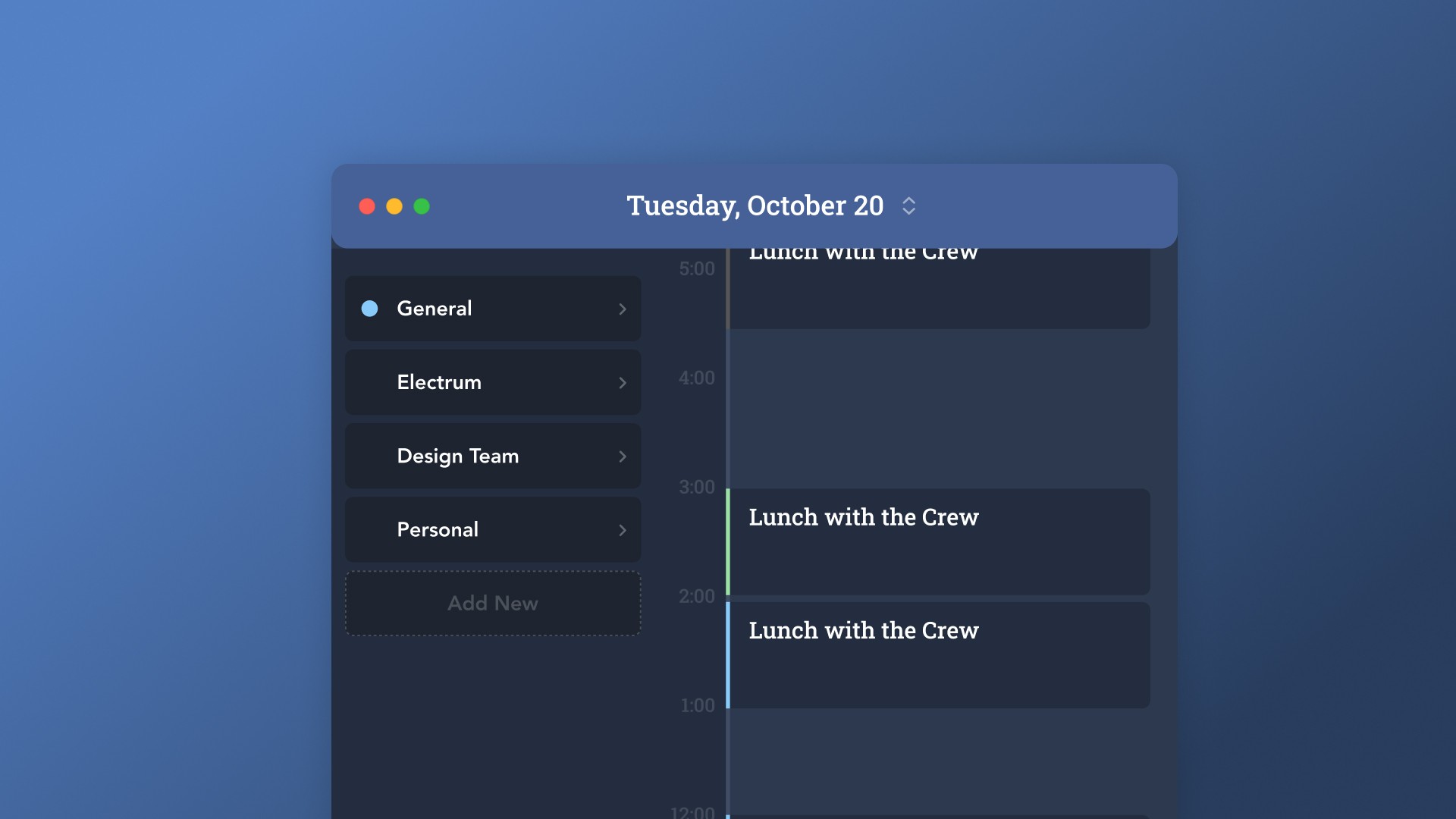
Feeling like your days are a blur of meetings and urgent tasks, with no time left for what truly matters? You're not alone. Many of us struggle to manage our schedules effectively. This guide is all about a free time blocking app, a tool that can help you take back control and make your days work for you, not against you. We'll explore how to pick the right app and use it to build a more productive and balanced life.
Key Takeaways
Time blocking means scheduling specific blocks of time for tasks, not just meetings, to get more done.
A free time blocking app helps organize your day, showing you where your time actually goes.
Look for apps that are quick to use, let you move blocks easily, and show different types of activities clearly.
Connect your app to your task list so your to-dos get scheduled automatically.
Regularly check your calendar to see if your schedule still matches your priorities and make changes as needed.
Mastering Your Schedule with a Free Time Blocking App
Let's face it, most of us feel like we're constantly juggling. Between emails, meetings that pop up out of nowhere, and that ever-growing to-do list, it's easy to feel like you're just reacting to whatever comes your way. You might even find yourself working late, trying to catch up on the things that actually matter. This is where time blocking comes in. It's not just another productivity fad; it's a way to take back control of your day.
Understanding the Power of Time Blocking
At its core, time blocking is pretty simple: you decide what you're going to do and when, and then you put it on your calendar like any other appointment. Instead of a vague to-do list, you have a visual plan for your day. This means you're not just scheduling meetings that other people set; you're actively scheduling time for your own priorities, whether that's deep work on a big project, exercise, or even just taking a proper lunch break. When you treat these blocks with the same importance as a meeting with your boss, you start to see real progress. It shifts your calendar from being a record of demands to a tool for agency.
Why a Free Time Blocking App is Essential
Trying to do this with just a basic calendar can be tough. You need something that makes it quick and easy to create and move these blocks around. A good app lets you see at a glance how much of your week you actually control, distinguishing between your planned work and other people's meetings. Plus, when your to-do list can feed directly into your calendar, you cut down on a lot of manual entry and potential mistakes. It’s about making the process smooth so you actually stick with it.
The Core Benefits of Intentional Scheduling
So, what's the big deal? Why bother with all this planning?
More Focused Work: By assigning specific times for tasks, you reduce the temptation to multitask and can concentrate on one thing at a time. This often leads to better quality work.
Reduced Stress: Knowing what you need to do and when can significantly lower anxiety. You're less likely to feel overwhelmed by a mountain of tasks.
Better Work-Life Balance: Intentional scheduling means you can also block out time for personal activities, exercise, and relaxation, making sure they don't get pushed aside.
Clearer Priorities: Seeing your priorities laid out on your calendar helps you stay aligned with your goals and make sure you're spending your time on what truly matters.
The real magic of time blocking isn't just about fitting more into your day. It's about making sure the right things get done, consistently. It's about building a schedule that reflects what you want to achieve, not just what you have to do.
Choosing the Right Free Time Blocking App
Finding a time blocking app you’ll actually use is trickier than it sounds. One day you’re downloading four options with good reviews. Next week, you forget you have any of them. The little things make all the difference when it comes to sticking with a tool and making it a habit. Let’s look at how to pick the app that actually fits you, not just your to-do list.
Key Features for Effective Time Blocking
Not all apps that call themselves time blockers really help you protect your time. When you’re picking one, look for these must-haves:
Fast drag-and-drop controls for moving blocks around—nobody wants extra clicks.
A week-at-a-glance view instead of only day-by-day planning, so nothing sneaks up on you.
A way to color-code or label blocks for work, personal stuff, breaks, and focus time.
Syncing with both tasks and calendar events so everything sits in one place.
Easy-to-edit blocks, because stuff always changes.
Feature | Why It Matters |
|---|---|
Drag-and-drop | Quick changes, less friction |
Task integration | No bouncing between tools |
Custom colors/labels | See balance in your schedule |
Multi-calendar sync | All plans in one view |
Block editing | Flexibility for last-minute shifts |
If you find yourself wrestling with the interface, chances are you’ll drop the app within a week.
Evaluating Apps for Productivity and Ease of Use
I’ve downloaded plenty of apps that promised big results but just made my life feel more complicated. Here’s what to pay attention to so you don’t end up in that boat:
How many taps or clicks does it take to create or move a block?
Is the interface clean, or are there so many features you feel lost?
Does it nag you, or does it nudge you when things slip?
Can you quickly review your whole week or only a messy to-do list?
Does it protect time for breaks and personal needs, not just work?
Ease-of-use isn’t the same as being basic—if the core features make sense right away, it’s a good sign.
A good time blocking app should feel like a tool you control—not an extra list of chores.
Integration Capabilities for a Seamless Workflow
If you’re bouncing between calendars, email, and task lists all day, a time blocking app that pulls things together makes life a lot easier. Integration isn’t just a nice bonus—it’s what saves you from double booking and scattered priorities.
Here are common integrations to check for:
Google Calendar, Outlook, or Apple Calendar sync
Linking with to-do apps (Todoist, TickTick, Notion, Trello)
If it plays nicely with your email, so meetings and invites show up
Connections to project management tools if you’re part of a team
Integration Type | Supported Apps | Benefit |
|---|---|---|
Calendar Sync | Google, Outlook, Apple | Real-time updates |
Task Manager Integration | Todoist, Trello, Notion | Unified priorities |
Team Collaboration | Asana, Slack, ClickUp | Shared blocks, fewer overlaps |
If you only use one device, great. But if you ever switch between work and personal laptops or rely on your phone, cross-device syncing is a lifesaver.
Remember: the best app is the one you’ll open every day, not the one that looks the flashiest on paper.
Implementing Time Blocking Strategies

So, you've got your free time blocking app ready to go. That's awesome! But just having the tool isn't enough, right? You gotta know how to actually use it to make your days feel less like a chaotic scramble and more like a well-oiled machine. This is where putting time blocking into practice really matters. It's not just about filling up your calendar; it's about being smart about what you fill it with.
Prioritizing Tasks for Maximum Impact
Before you even think about opening your app, take a moment to figure out what actually needs doing. Seriously, just dumping your entire to-do list into blocks is a recipe for disaster. Instead, try to pick out the top 1-3 things that would make your day a real win. What tasks are super important, or maybe something that's blocking someone else? Focus on those. Anything that looks like it won't get done this week? Let it go for now. It's better to finish a few key things than to start a dozen and finish none.
Consolidate your tasks: Get everything out of your head and into one place.
Sort by priority: What's most important? What's urgent?
Identify your 'win' tasks: What 1-3 things would make today successful?
Filter ruthlessly: Drop tasks that aren't critical for today or this week.
When you label your blocks, be specific. Instead of "Work," try "Draft Q2 Marketing Plan Outline." This gives you a clear finish line. If a task is huge, break it down into smaller, manageable milestones that can fit into individual blocks.
Estimating Task Durations Accurately
This is where a lot of people trip up. You look at a task and think, "Yeah, that'll take an hour." But then two hours later, you're still plugging away. It's way better to be a little generous with your time estimates, especially when you're starting out. Think about how long similar tasks have taken you in the past. For focused work, maybe aim for 60-90 minutes. Shorter tasks like checking email or admin stuff might only need 20-45 minutes. And don't forget to add in little breaks or transition times between blocks – maybe 5-15 minutes.
Here’s a rough guide to get you started:
Task Type | Estimated Time | Notes |
|---|---|---|
Deep Work | 60-90 minutes | Writing, coding, complex problem-solving |
Collaboration | 30-60 minutes | Meetings, team discussions |
Email/Messages | 20-45 minutes | Triage and respond to communications |
Admin Tasks | 15-30 minutes | Filing, organizing, simple follow-ups |
Breaks/Transitions | 5-15 minutes | Moving between tasks, quick refresh |
Don't pack your schedule 100% full. Seriously, leave some breathing room. Aim to only fill about 80% of your day. This buffer is your lifesaver when things inevitably run over or unexpected stuff pops up.
Creating Realistic Time Blocks
Now you're ready to actually put these tasks into your app. Think about your energy levels throughout the day. Are you a morning person who does your best thinking before lunch? Schedule your most demanding tasks then. Save the less intensive stuff, like answering emails or doing routine checks, for when your energy dips.
Also, consider grouping similar tasks together. This is called task batching. Instead of checking email every hour, set aside a couple of specific blocks for it. This stops those quick pings from constantly interrupting your flow. You could have a block in the late morning for quick replies and another in the late afternoon for follow-ups.
When you're setting up your blocks, try to make them specific and actionable. Vague labels lead to vague results. If a block is just "Project Work," you might find yourself staring at your screen wondering what to do next. But if it's "Outline Chapter 3 of Project X," you know exactly what needs to happen. This clarity makes it much easier to stay on track and actually get things done.
Remember, the goal isn't to create a rigid schedule that you can never change. It's about having a plan that guides you and helps you make intentional choices about where your time goes. Be realistic, be specific, and give yourself some grace when you need it. That's how you make time blocking work for you.
Advanced Techniques for Free Time Blocking Apps
Leveraging AI for Automated Scheduling
Okay, so you've got the basics of time blocking down. You're making blocks, you're trying to stick to them. But what if your app could do some of the heavy lifting for you? That's where AI comes in. Think of it like having a super-smart assistant who knows your priorities and your calendar inside and out. These apps can look at your to-do list, your meetings, and even your energy levels (if you track them) to suggest the best times for certain tasks. It's not about letting the computer run your life, but about getting smart suggestions that save you time and mental energy. The goal is to let AI handle the tedious parts of scheduling so you can focus on the actual work.
Utilizing Meeting Lanes and Focus Blocks
This is a big one for keeping your day from getting totally derailed by back-to-back calls. "Meeting lanes" are basically designated times on your calendar where you batch all your meetings. Instead of having a meeting pop up randomly at 10 AM, then another at 2 PM, you might decide that Tuesdays and Thursdays from 1 PM to 4 PM are your "meeting times." This leaves the rest of your week open for other things. Then you have "focus blocks." These are your protected times for deep work – the stuff that really requires concentration. You treat these blocks like important appointments, and you don't let anything else creep in. It's about creating clear boundaries so you can actually get important work done without constant interruptions.
Here’s a simple way to think about it:
Meeting Lanes: Group calls together. This could be a few hours on specific days or even just one hour each morning.
Focus Blocks: Schedule 1-3 hour chunks for your most demanding tasks. Protect these fiercely.
Task Batching: Group similar small tasks (like emails or quick replies) into dedicated slots. This stops them from scattering your attention.
Incorporating Buffers and Transition Times
This is where a lot of people trip up. They schedule their day down to the minute, and then the first thing that runs over – a meeting that goes long, a task that's trickier than expected – throws everything off. That's why buffers are your best friend. A buffer is just a little bit of unscheduled time you build into your day. It could be 10-15 minutes between meetings, or a 30-minute block at the end of the day to wrap things up. These aren't for doing more work; they're for breathing room. They allow you to finish one thing without immediately rushing into the next, to grab a coffee, stretch, or just mentally reset. It makes your schedule way more realistic and less stressful.
Building in buffer time isn't about being inefficient; it's about being realistic. Life happens, tasks take longer than planned, and unexpected things pop up. These small pockets of unscheduled time act as shock absorbers for your schedule, preventing a minor delay from cascading into a full-blown calendar disaster. They give you the mental space to transition between tasks and maintain a sense of control, even when things don't go exactly according to plan.
Block Type | Typical Duration | Purpose |
|---|---|---|
Deep Work | 60-120 minutes | High-concentration tasks |
Meetings | 30-60 minutes | Scheduled calls and discussions |
Email/Comms Batch | 20-45 minutes | Processing messages and quick replies |
Admin Tasks | 15-30 minutes | Paperwork, organizing, light chores |
Buffer/Transition | 10-20 minutes | Short breaks, mental reset, travel between |
Lunch/Personal Break | 30-60 minutes | Recharge and step away from work |
Making Time Blocking a Sustainable Habit
So, you've gotten the hang of time blocking. You're setting aside chunks of time for important tasks, and it feels pretty good. But how do you keep this going? Making time blocking stick isn't just about setting up your calendar once; it's about treating it like any other skill that needs practice and refinement. It's easy to fall back into old habits, especially when life throws curveballs.
The Importance of Regular Calendar Audits
Think of your calendar as a living document, not a static one. Just like you'd check the oil in your car or water your plants, your calendar needs regular attention. A weekly audit is a good place to start. Look back at the past week. Did you stick to your blocks? Where did things go off track? Were your time estimates realistic? This isn't about judgment; it's about gathering data. Understanding where your time actually went is key to planning where it should go next. This process helps you spot patterns, like consistently underestimating how long creative tasks take or over-scheduling yourself on Tuesdays.
Adapting Your Schedule to Real-Life Changes
Life happens, right? Meetings get moved, emergencies pop up, and sometimes you just need a mental health break. A rigid schedule that can't bend will likely break. The beauty of time blocking is its flexibility when you build it in. If a meeting shifts, don't just let it derail your whole day. See where it fits best and adjust the surrounding blocks. Maybe that afternoon focus block needs to become a shorter, more intense session, or perhaps it needs to be moved to the next day. The goal isn't perfection; it's resilience. You want your time blocking system to absorb unexpected events without collapsing.
Reviewing Your Week for Continuous Improvement
At the end of each week, take a few minutes to review. What worked well? What didn't? Did you feel more productive? Less stressed? Maybe you realized that your 'deep work' blocks were constantly interrupted by notifications. This is where you can make adjustments. Perhaps you need to implement stricter notification rules or schedule specific times to check email and messages, rather than letting them interrupt your flow. Consider these questions:
Were your time estimates accurate?
Did you protect your focus blocks?
Were there enough transition times between tasks?
Did you schedule time for breaks and personal activities?
The most effective time blocking isn't about filling every minute. It's about making intentional choices for how you want to spend your time, and building in the flexibility to handle the unexpected. It’s a practice, not a perfect system.
By consistently auditing, adapting, and reviewing, you turn time blocking from a new tactic into a sustainable habit that genuinely supports your productivity and well-being. It’s about building a schedule that works for you, not against you. For more on how to get started, check out this guide on time blocking basics.
So, What's Next?
Alright, so we've gone over a bunch of ways to get your schedule sorted using time blocking and some pretty neat apps. It's not about finding the perfect app right away, you know? It's more about just picking one that feels right and giving it a real shot for a week or so. Seriously, don't just download something and forget about it. Try it out, see if it helps you actually get stuff done instead of just looking at a busy calendar. Remember, your schedule is yours to control, not the other way around. Start small, make it a habit, and you'll probably be surprised at how much more you can fit in without feeling totally swamped.
Frequently Asked Questions
What exactly is time blocking?
Time blocking is like making a plan for your whole day, but instead of just a to-do list, you actually put blocks of time on your calendar for each specific thing you need to do. Think of it as giving every minute a job, whether it's for a big project, answering emails, taking a break, or even eating lunch.
Why should I use a time blocking app instead of just my regular calendar?
Regular calendars are often just for appointments set by others. A time blocking app helps you be in charge of your schedule. It makes it super easy to create these special blocks for your own tasks and goals, see where your time is really going, and keep your important work from getting pushed aside.
What are the biggest benefits of time blocking?
The main perks are getting more important work done without interruptions, feeling less stressed because you have a clear plan, and stopping yourself from jumping between too many tasks. It helps you focus on what truly matters and makes your day feel more organized and less chaotic.
How do I figure out how long tasks will take?
It takes a little practice! Start by guessing how long each task might take, and maybe add a little extra time just in case. After doing this for a week, you'll get a better idea of how long things actually take. It's better to plan a bit longer than to run out of time.
What if unexpected things come up and mess up my schedule?
That's totally normal! The best time blocking apps let you easily move your blocks around. It's also smart to leave some empty space in your schedule, like a buffer, so you have room to handle surprises without your whole day falling apart.
How can I make sure I stick with time blocking?
The key is to make it a habit. Try to look at your schedule at the end of each week to see what worked and what didn't. Adjust your plan as needed, and remember that it's okay if your schedule changes. The goal is to have a plan that helps you, not one that you have to follow perfectly every single time.